I know what it’s like when your mobile service stops working and you just need help fast.
You’re stuck trying to figure out which number to call or which email to use. Meanwhile, your issue isn’t getting solved.
Here’s the thing: OTVP Mobile has multiple support channels. But not all of them work the same way for every problem.
I put this guide together to show you the best ways to get help from OTVP Mobile based on what you actually need. Some issues you can fix yourself in two minutes. Others need a real person on the line.
This isn’t a generic customer service rundown. It’s the official breakdown of how our support system actually works and which channel gets you to the right team fastest.
You’ll see which method to use for billing questions versus technical problems. When self-service makes sense and when you should skip straight to contact.
No guessing. No getting bounced around between departments.
Just the fastest path from problem to solution.
Your First Stop: The 24/7 Self-Service Help Center
I learned this the hard way.
A few years back, I spent 45 minutes on hold trying to change a simple billing date. When I finally got through, the rep told me I could’ve done it myself in about 30 seconds through the portal.
I felt like an idiot.
But here’s what that taught me. Most of us skip the self-service options because we assume they won’t actually solve our problem. We think we need a real person to fix things.
The truth? You can handle most issues yourself.
The best ways to get help OTVP Mobile start with the self-service portal. It’s open 24/7, which means no waiting until business hours when something breaks at 11 PM on a Sunday.
Here’s what you can actually do without calling anyone.
Check your account and billing. Pull up statements from the past six months. Make payments right there. See exactly what you’re being charged for (no more mystery fees you have to call about).
Manage your plan. Want to upgrade your data? Done. Need to add a line? Takes maybe two minutes. You can downgrade too if you’re paying for stuff you don’t use.
Troubleshoot problems yourself. The Knowledge Base has step-by-step guides for the issues people actually face. Data not connecting. Device won’t set up. Features that won’t activate.
I used to think these guides would be useless. Too generic or outdated.
Wrong again.
The FAQ database pulls from real questions other OTVP Mobile users have asked. Which means you’re probably not the first person to deal with whatever’s bugging you right now.
Look, sometimes you really do need to talk to someone. But start here first. You’ll save time and skip the hold music.
Choosing the Right Live Support Channel for Your Needs
I’ve contacted customer support more times than I care to admit.
And here’s what I’ve learned. The channel you pick matters just as much as the problem you’re trying to solve.
Pick the wrong one and you’ll spend an hour waiting for something that could’ve been fixed in five minutes. Pick the right one and you’re done before your coffee gets cold.
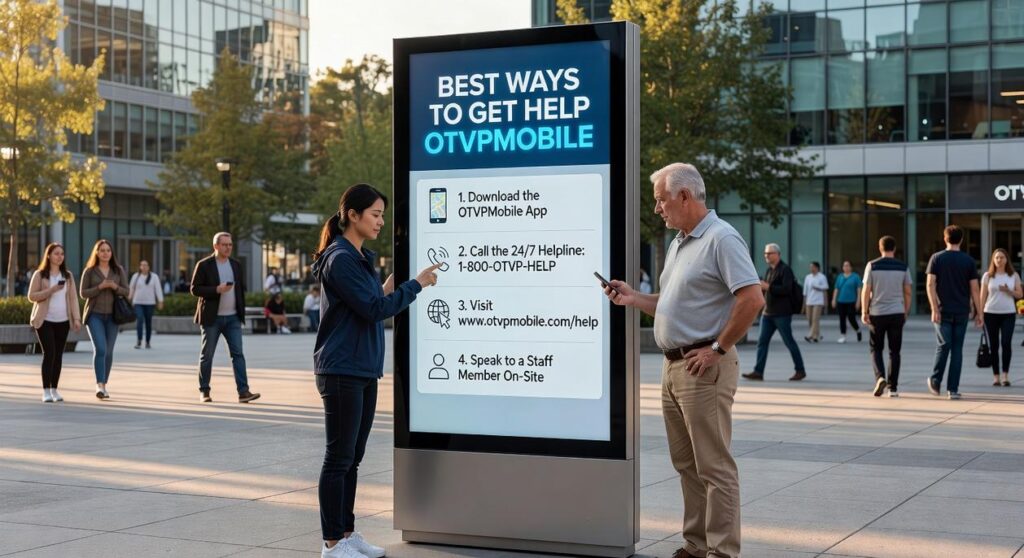
So let me walk you through the best ways to get help otvpmobile based on what you actually need.
Live Chat: The Optimal Method for Quick Questions
Best For: Simple billing questions, plan feature clarifications, or basic tech support like enabling Wi-Fi calling.
Here’s why I use chat first for these issues.
You get real-time answers without putting your day on hold. I can fire off a question while I’m working on something else and check back when they respond. Plus, you get a transcript sent to your email (which has saved me more than once when I needed to reference what support told me).
The text format means you can copy account numbers or instructions without scrambling for a pen.
Phone Support: The Optimal Method for Urgent & Complex Issues
Best For: Service outages, lost or stolen devices, account disputes, or technical problems that need back and forth troubleshooting.
Some people say phone support is outdated. That you should always use digital channels first.
But when your phone gets stolen or your service goes down completely, you need a human voice walking you through the fix right now. Not in an hour when someone reads your ticket.
I’ve had support reps guide me through network settings I never would’ve found on my own. That kind of real-time problem solving just works better over the phone when things get complicated.
Email/Ticket Support: The Optimal Method for Detailed Non-Urgent Requests
Best For: Submitting documentation like screenshots or receipts, detailed feedback, or tech issues that can wait a day or two.
This is your go-to when you need a paper trail.
I use email support when I’m disputing a charge and need to attach my receipt. Or when I’ve got a weird technical glitch that I can explain better in writing with screenshots.
The beauty of tickets is that support can actually investigate without you sitting on hold. They can loop in specialists or check backend systems while you go about your day.
Pro tip: Number your questions or issues in the email (1, 2, 3). Makes it way easier for support to address everything without missing something.
At otvpmobile, you’ve got all three options available. Match your problem to the right channel and you’ll get sorted faster than you think.
How to Prepare for a Smoother Support Experience

I’ve been on both sides of support calls.
And here’s what I know. The difference between a five-minute fix and a two-hour nightmare usually comes down to one thing. What you bring to the conversation.
Some people say you should just call in and let the agent figure it out. That’s their job, right? They’re trained to ask the right questions and walk you through everything step by step.
Sure. That works sometimes.
But think about it this way. You call in with a vague “my phone doesn’t work” and the agent starts from square one. They ask about your account. Then your device. Then what you were doing. Then what happened. Each question takes time. Each answer might lead down the wrong path.
Now compare that to calling in prepared.
You’ve got your details ready. You can describe exactly what went wrong. The agent skips the guessing game and gets straight to solving your problem.
Which scenario sounds better?
What You Actually Need Before Calling
I’m not saying you need to become a tech expert before reaching out. That’s not realistic.
But gathering a few basics makes everything smoother. When you contact otvpmobile mobile geeks from onthisveryspot, having your account number saves three minutes right there. Your phone number and device model? Another two minutes saved.
That’s five minutes you’re not sitting on hold or repeating information.
Here’s what matters most. Know what you were trying to do when things went wrong. Not just “it stopped working” but the actual sequence. I was trying to send a text and got an error. Or I was updating my settings and now I can’t make calls.
Write down error messages word for word if you see them. Screenshots work even better (though you can describe them over the phone).
And this one saves everyone time. Make a quick list of what you’ve already tried. Restarted your phone? Checked your settings? Toggled airplane mode? Let the agent know upfront so they don’t suggest the same steps.
The best ways to get help otvpmobile start with you showing up ready. Not because it’s required. Because it gets you back to using your phone faster.
Think of it like going to the doctor. You could walk in and say “I don’t feel good” and wait for them to ask twenty questions. Or you could say “I’ve had a headache for three days, it’s worse in the morning, and ibuprofen doesn’t help.”
Same problem. Different outcomes.
When and How to Escalate an Unresolved Issue
Sometimes your first conversation doesn’t fix the problem.
It happens. The agent might not have the authority to make certain calls. Or maybe they just didn’t understand what you needed.
Here’s what you do next.
Ask the current support agent to escalate your case. Just say it directly. You want a senior team member or manager to review it.
Make sure you reference your original ticket or interaction ID (they’ll need that to pull up your history).
Now here’s where I think things are headed. More companies will probably start using AI to decide which cases get escalated automatically. But right now, you still need to ask for it yourself.
The best ways to get help otvpmobile is knowing when to push for that next level of attention. Don’t wait three rounds of back and forth if you can tell it’s going nowhere.
One thing I’ve noticed? The squeaky wheel really does get the grease. Not in an annoying way. But if you’re clear that you need how to deliver excellent customer service otvpmobile standards met, most teams will respond.
Be polite but firm. State what didn’t work and what you need instead.
Empowered to Get the Help You Need
You came here looking for the best ways to get help OTVP Mobile has to offer.
Now you have them.
I know seeking support can be stressful when you don’t know where to turn. You’re stuck with a problem and you just want it fixed.
That’s why matching your issue to the right channel matters so much. The Help Center gives you instant answers for common questions. Live support handles the urgent stuff that can’t wait.
When you prepare your account information beforehand, you cut your resolution time in half.
Here’s what to do next: Bookmark this page so you have it when you need it. Next time something comes up, start with our Self-Service Help Center. You’ll get your answer faster than any other method.
Most questions get solved there in under two minutes.
You now know exactly where to go and what to have ready. No more guessing or wasting time in the wrong place.